Screenshots
Each heading is an area of Features, in the same order.
Every shot is dk in a terminal of 100 by 30 cells, in the yo theme.
Click a shot to open it at full size.
Command line
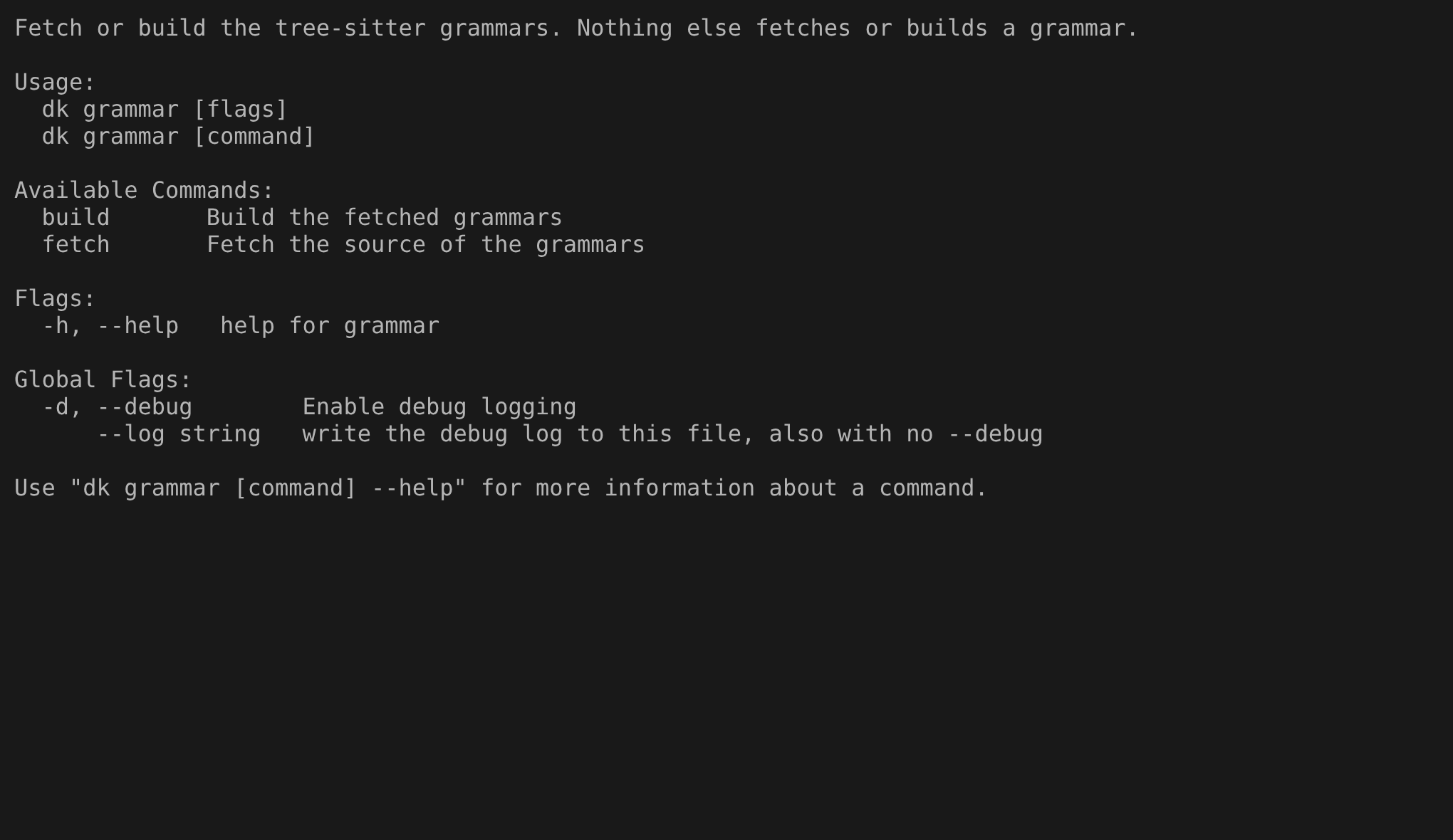
This is dk grammar --help.
The first line says that this command is the only one that fetches or builds a grammar, and the list under it shows its two subcommands, build and fetch, so you know what to run when a language shows as plain text.
Commands
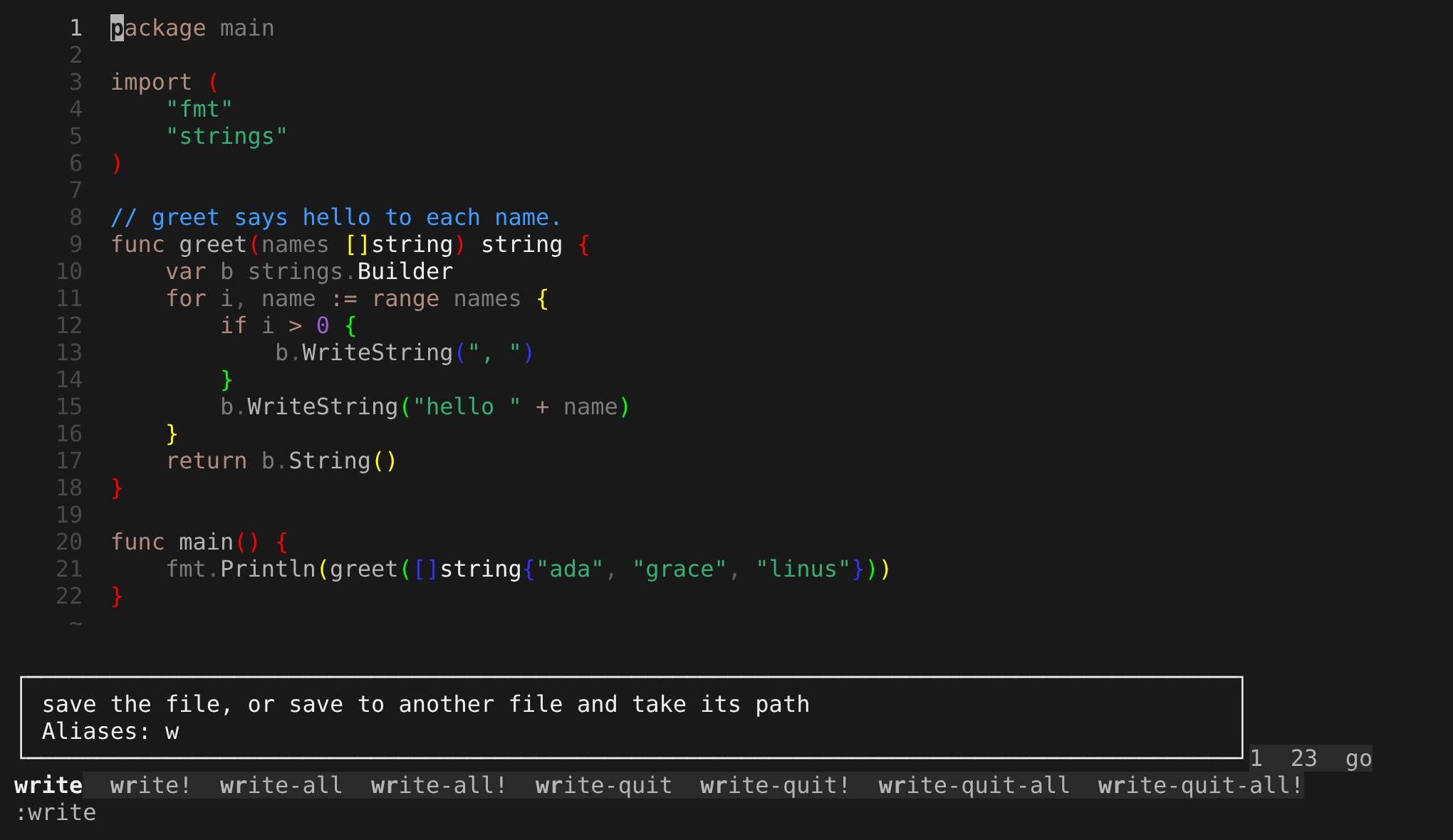
After :wr and Tab, the prompt reads :write.
The row above it lists the eight names that match, and the box shows what write does and its alias w, so you can check a command before you run it.
Config
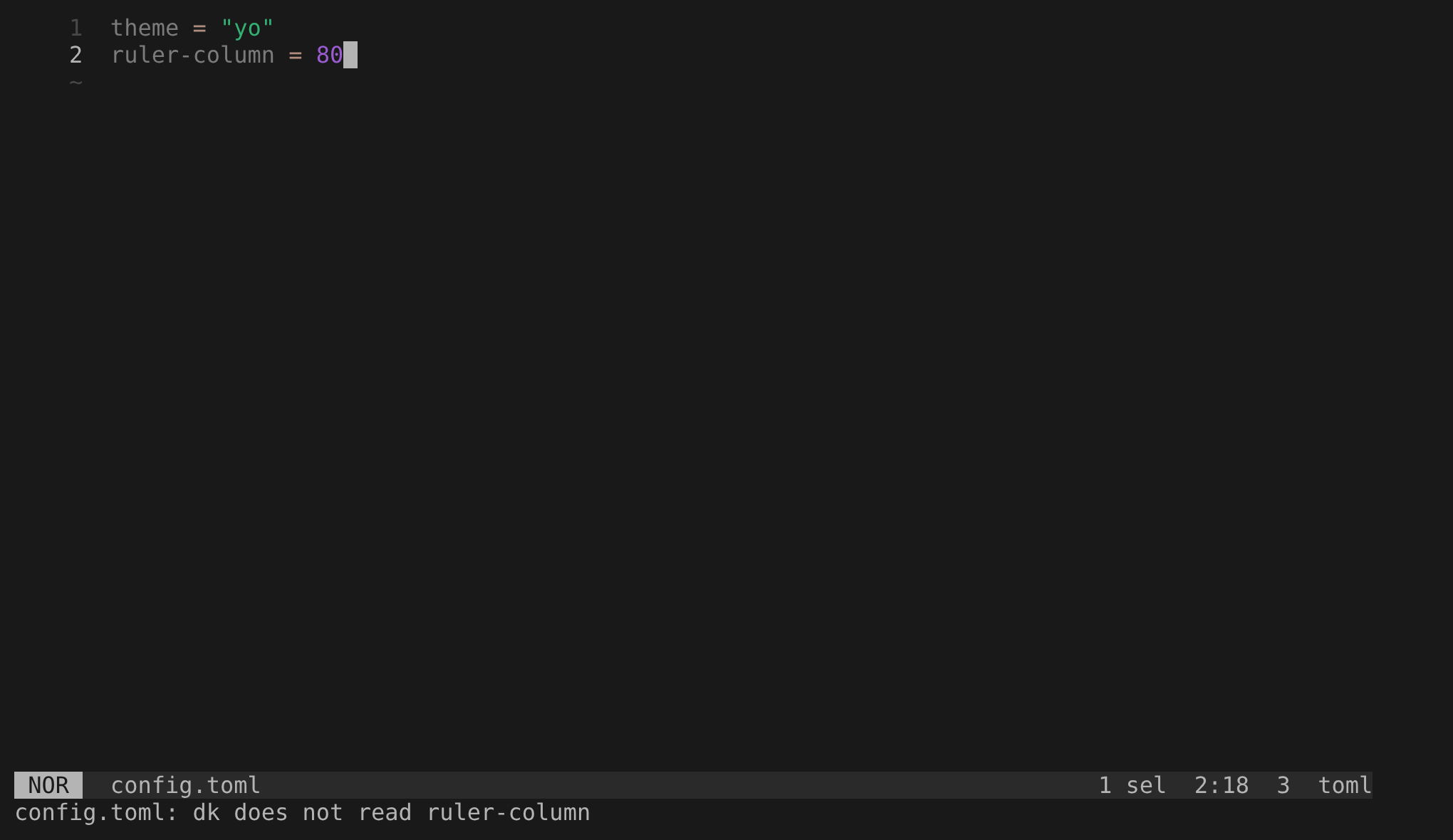
A config.toml with ruler-column = 80 on line 2, a key that dk does not read.
The last row names it, config.toml: dk does not read ruler-column, and the other keys of the file still load, which means a key that dk skips does not go unnoticed.
Display
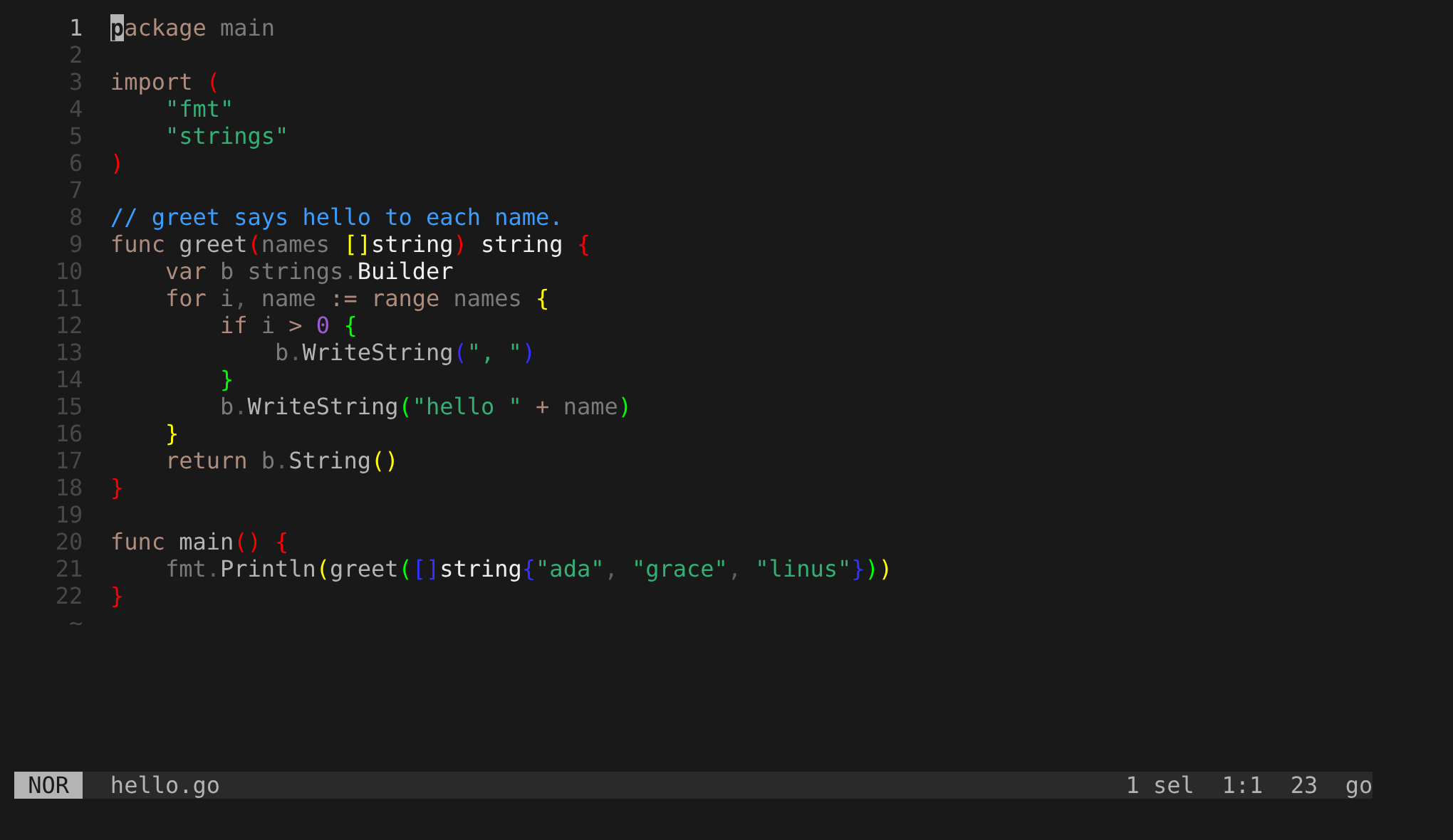
A Go file in a theme.
Look at the line numbers in the gutter, the syntax colors, the brackets that change color with each level of nesting, and the statusline with the mode NOR, the file name, 1 sel and the position.
These are the parts of the screen that a theme colors.
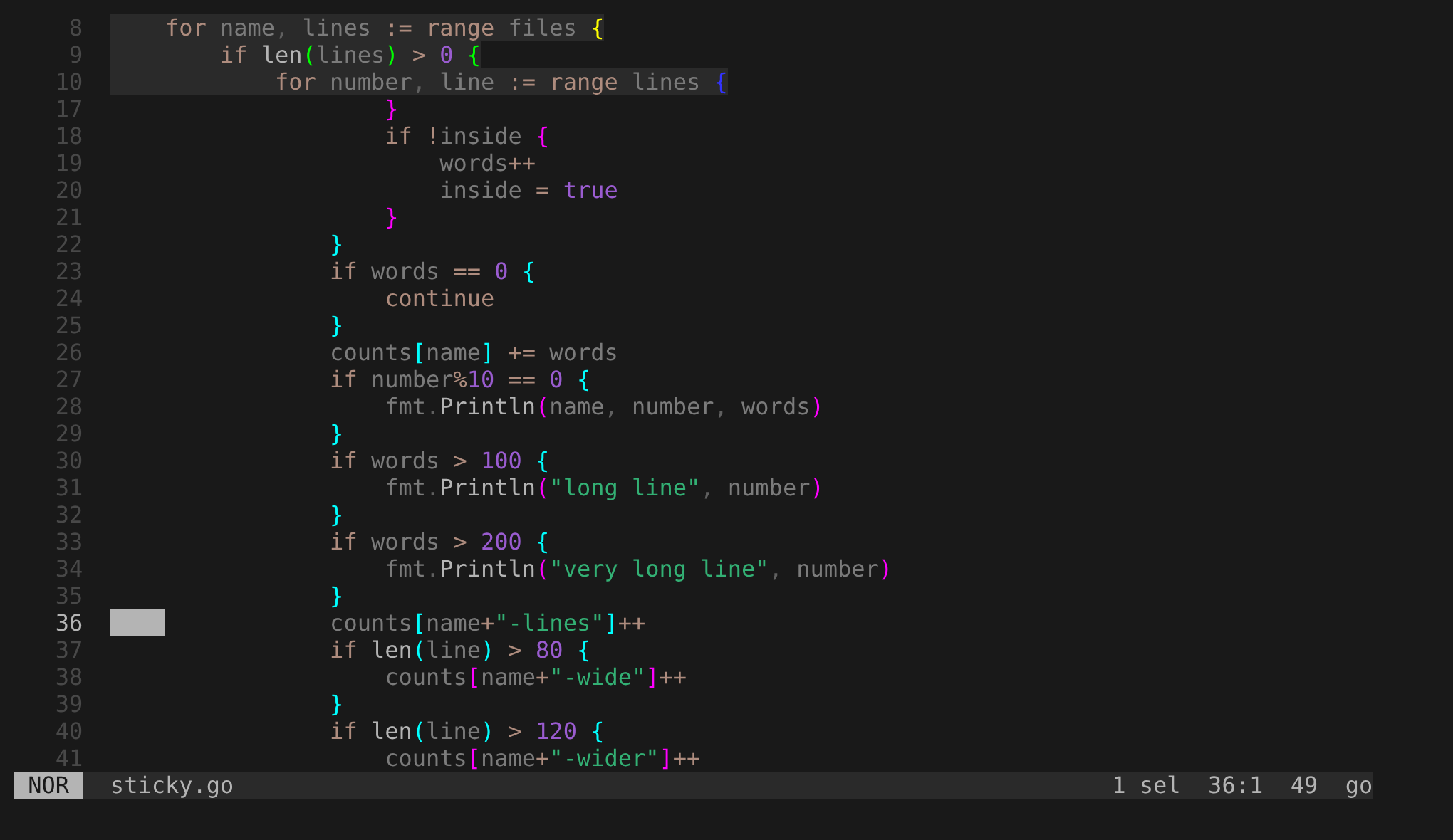
The cursor is on line 36, well below the for, if and inner for that contain it.
Those three lines stay on the top rows with their numbers 8, 9 and 10, so you never have to scroll up to find out where you are.
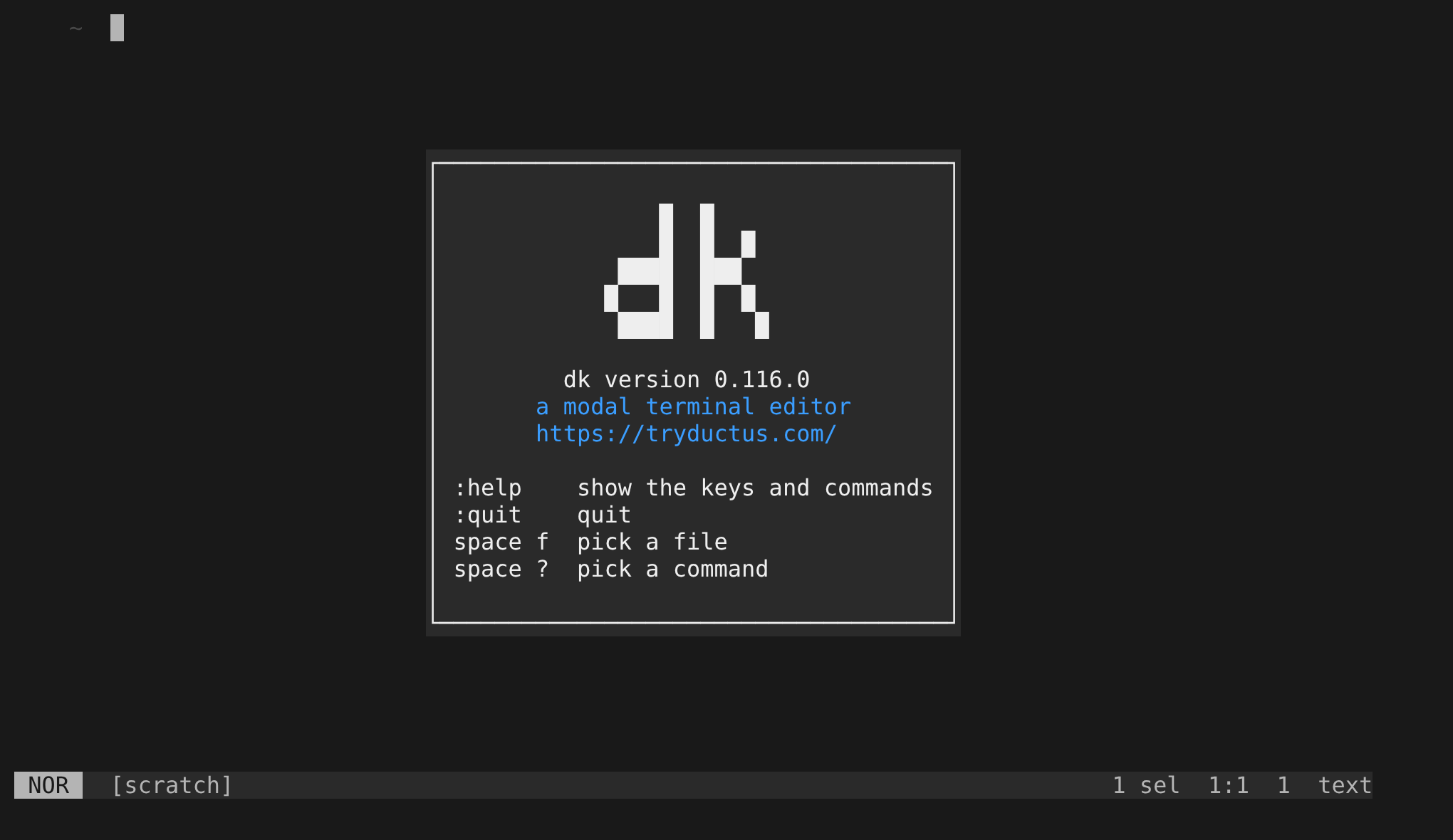
dk with no file shows a splash over the empty [scratch] Document: a framed box with the name, the version, the link https://ductus-editor.com/, and the keys of help, quit, the file picker and the command palette.
The box uses the colors of a popup, so nothing under it shows through, and the first key press removes it.
Editing
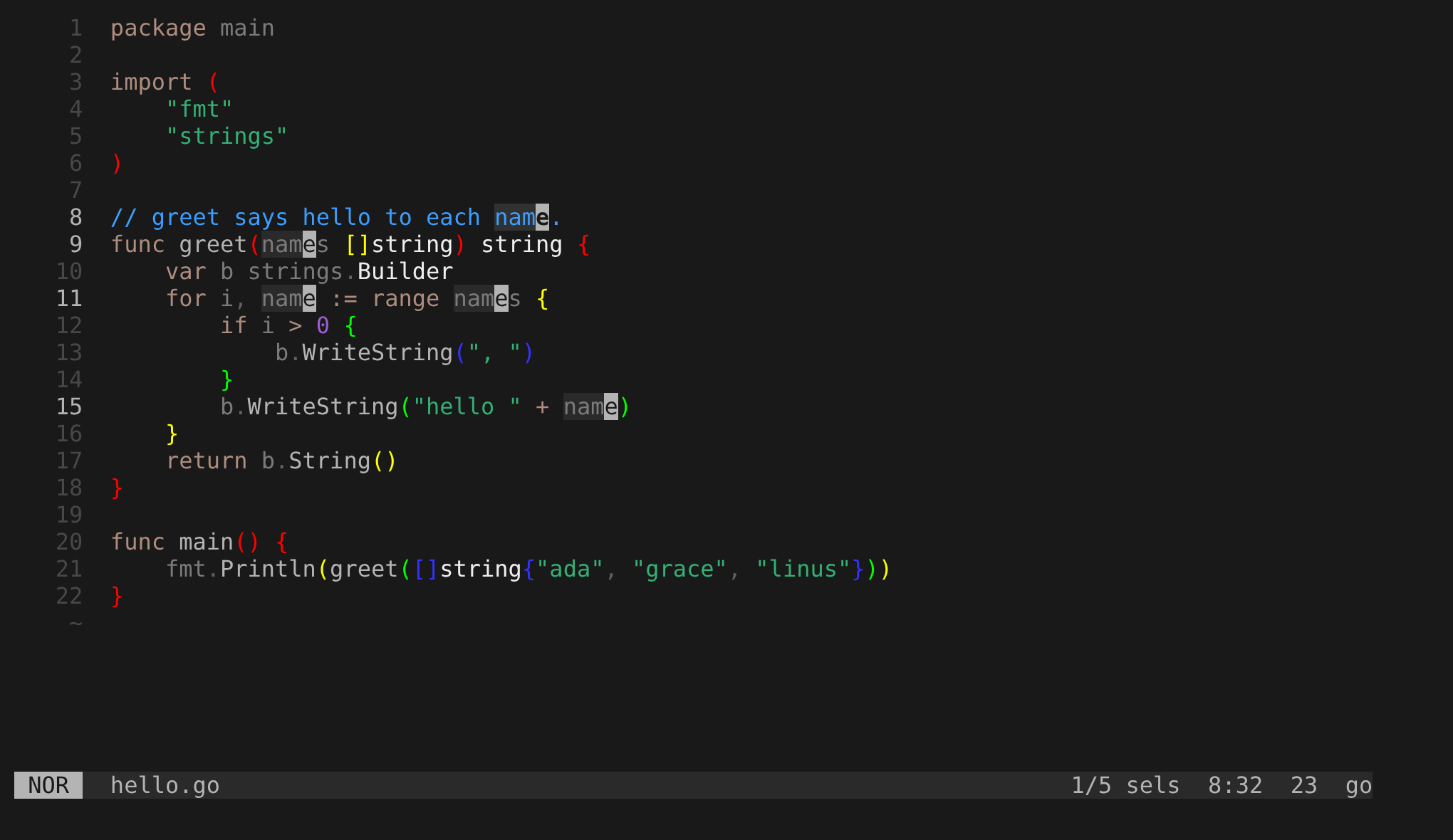
One Selection with five Ranges, one on each match of name, including the ones inside names.
1/5 sels in the statusline counts them, and the lighter last character of each Range shows where its cursor is.
A key such as d now acts on all five at once.
Grammars
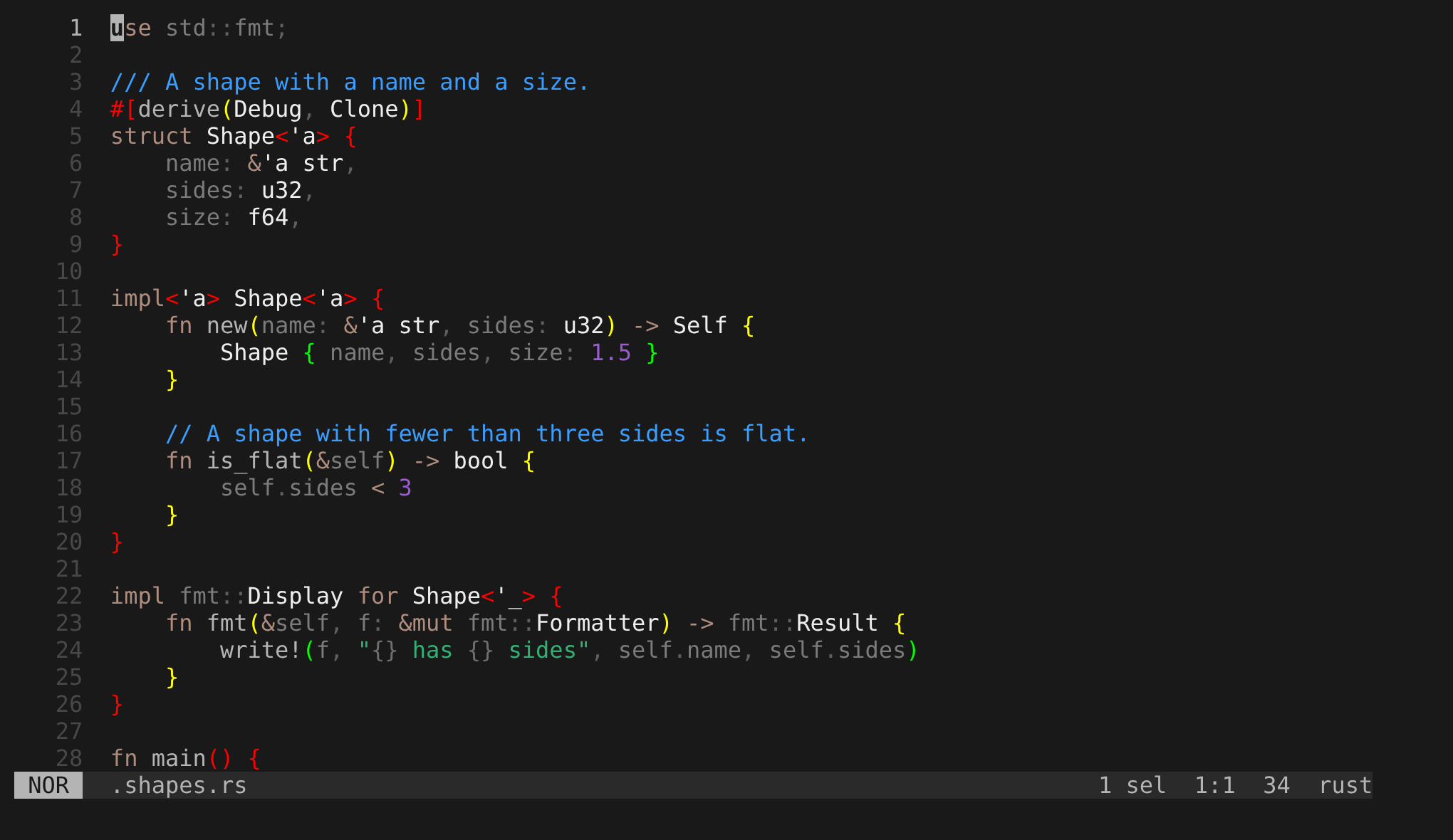
A Rust file in syntax colors, from the rust grammar that dk ships.
rust at the right end of the statusline is the language dk chose for the file, and the grammar of that language does the coloring.
Install
No screenshot yet. The area is a release tarball and a home-manager module, and neither prints anything in dk.
Keys
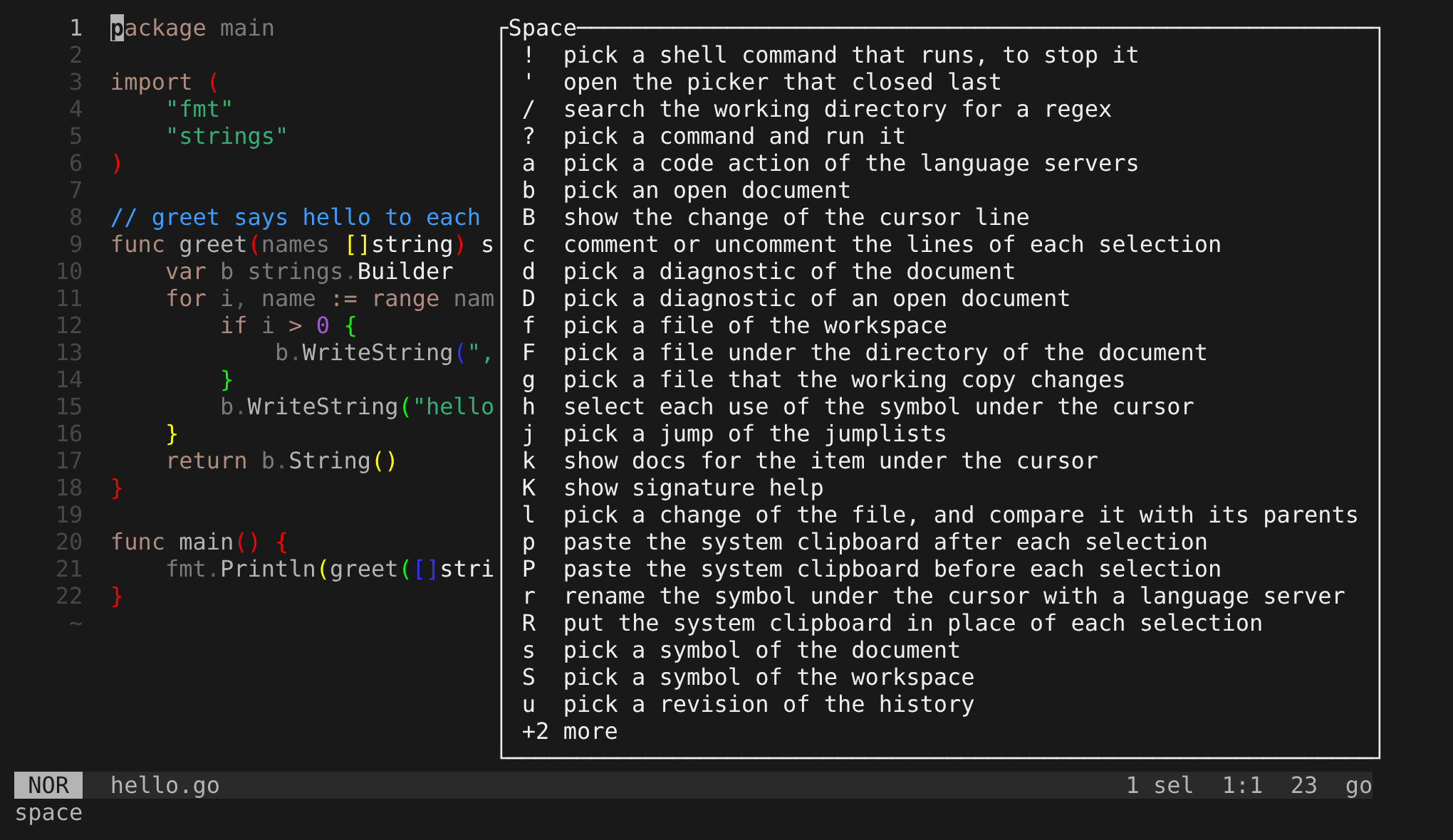
The box that opens after the Space key.
Each row is a key on the left and what it does on the right, from ! down to u, and +2 more at the bottom stands for the rows that do not fit, so you do not have to remember what lives under Space.
Language servers
No screenshot yet. A hover or a list of diagnostics needs a running server, and the capture runs none.
Manual
No screenshot yet.
The manual is a Markdown file that a generator writes, and it has no screen of its own.
The :help page belongs to Commands.
Opening files
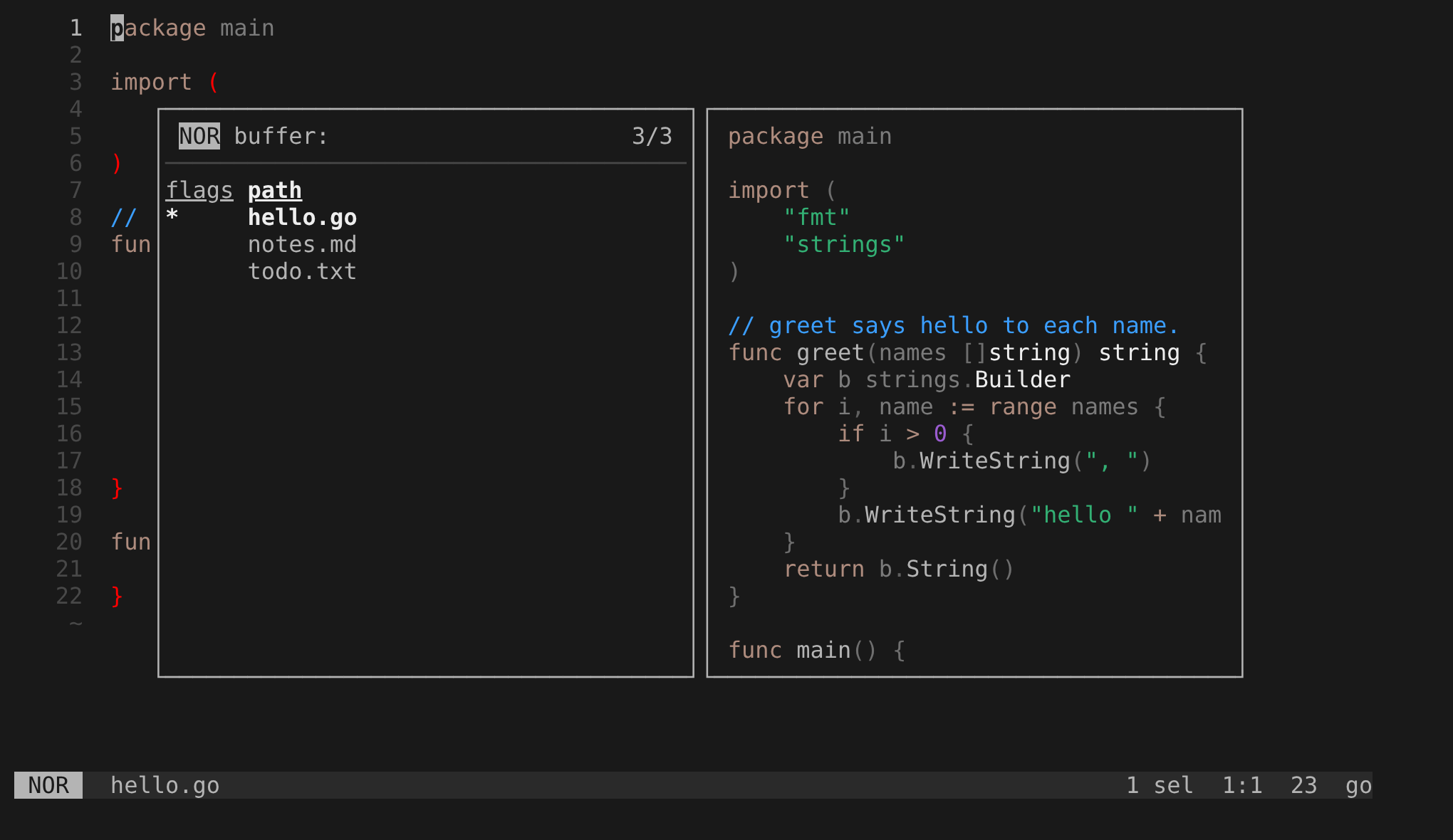
Three files opened from the command line, listed in the buffer picker.
Look at the flags and path columns: the * marks hello.go, the focused file, and the pane on the right previews it.
Pickers
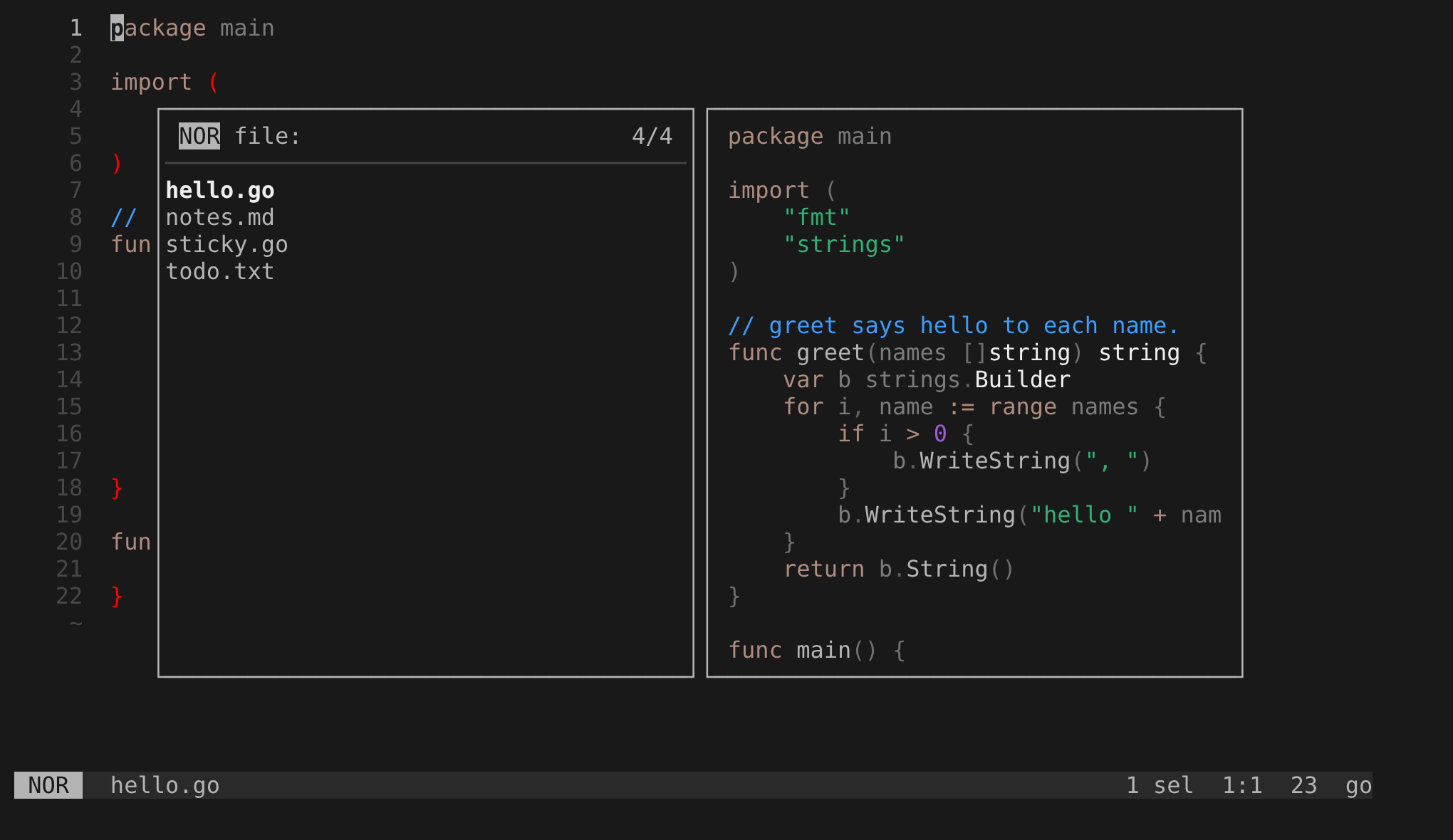
The file picker.
The list of files is on the left with hello.go selected, and the pane on the right previews that file, which shows you what you are about to open.
Plugins
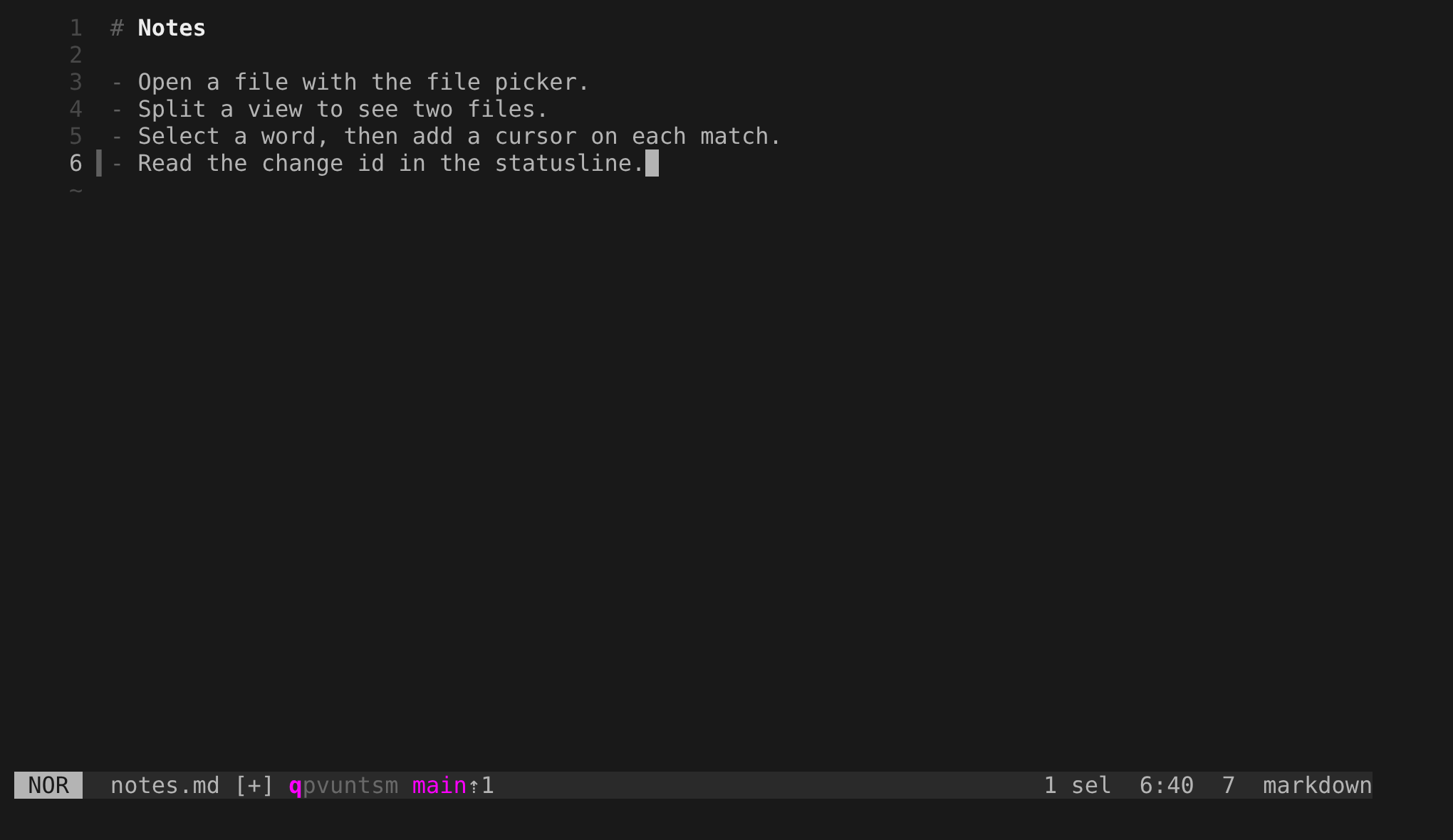
The vcs plugin at work on notes.md.
In the statusline, the change id qpvuntsm has its first letter in bold and the bookmark main has a count after it.
The bar in the gutter beside line 6 is the diff sign of the line that you added.
Saving
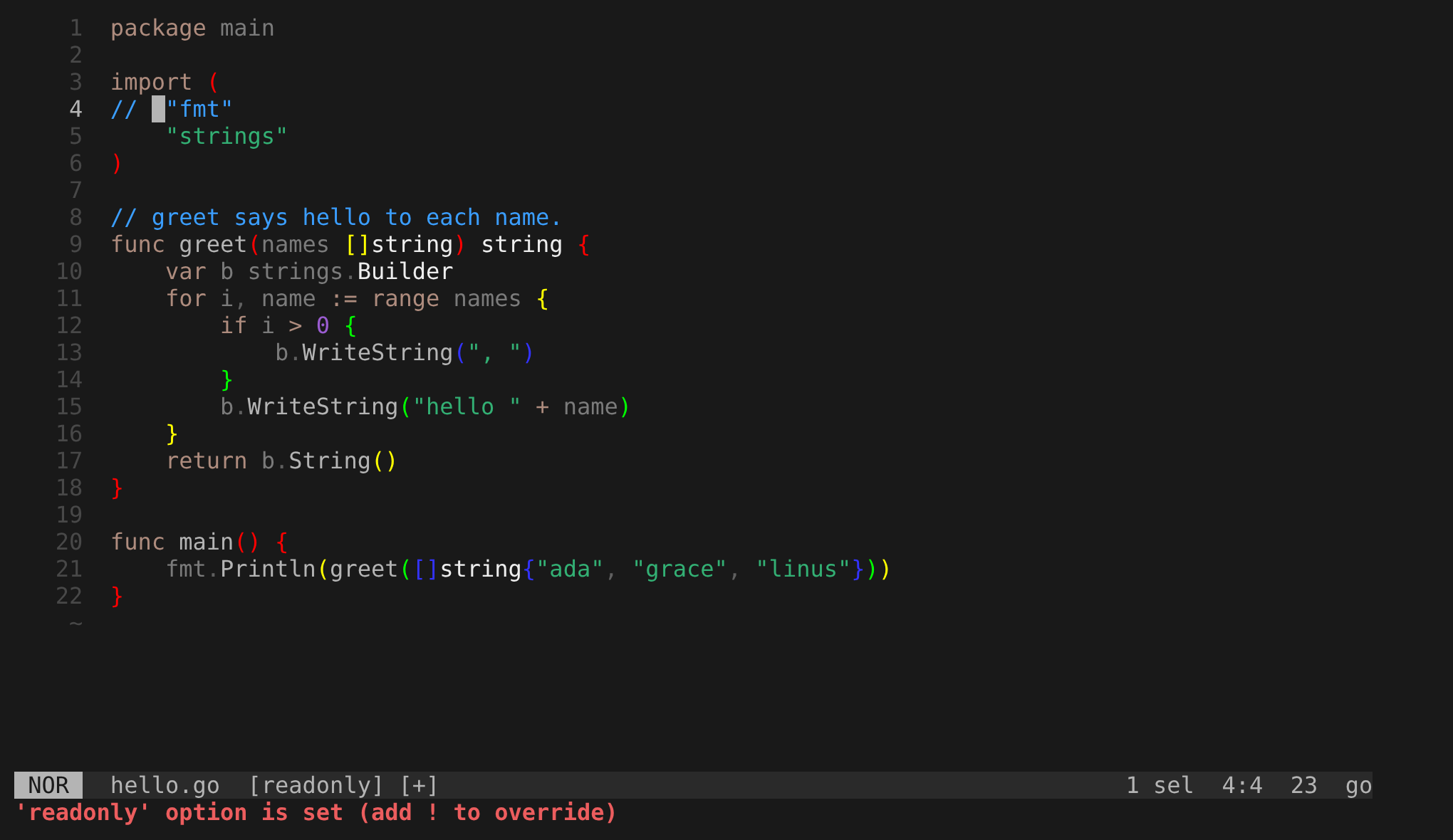
The refusal of :w on a readonly file with unsaved changes.
The statusline shows [readonly] [+], and the last row says 'readonly' option is set (add ! to override), which tells you why nothing was saved.
Tab pages
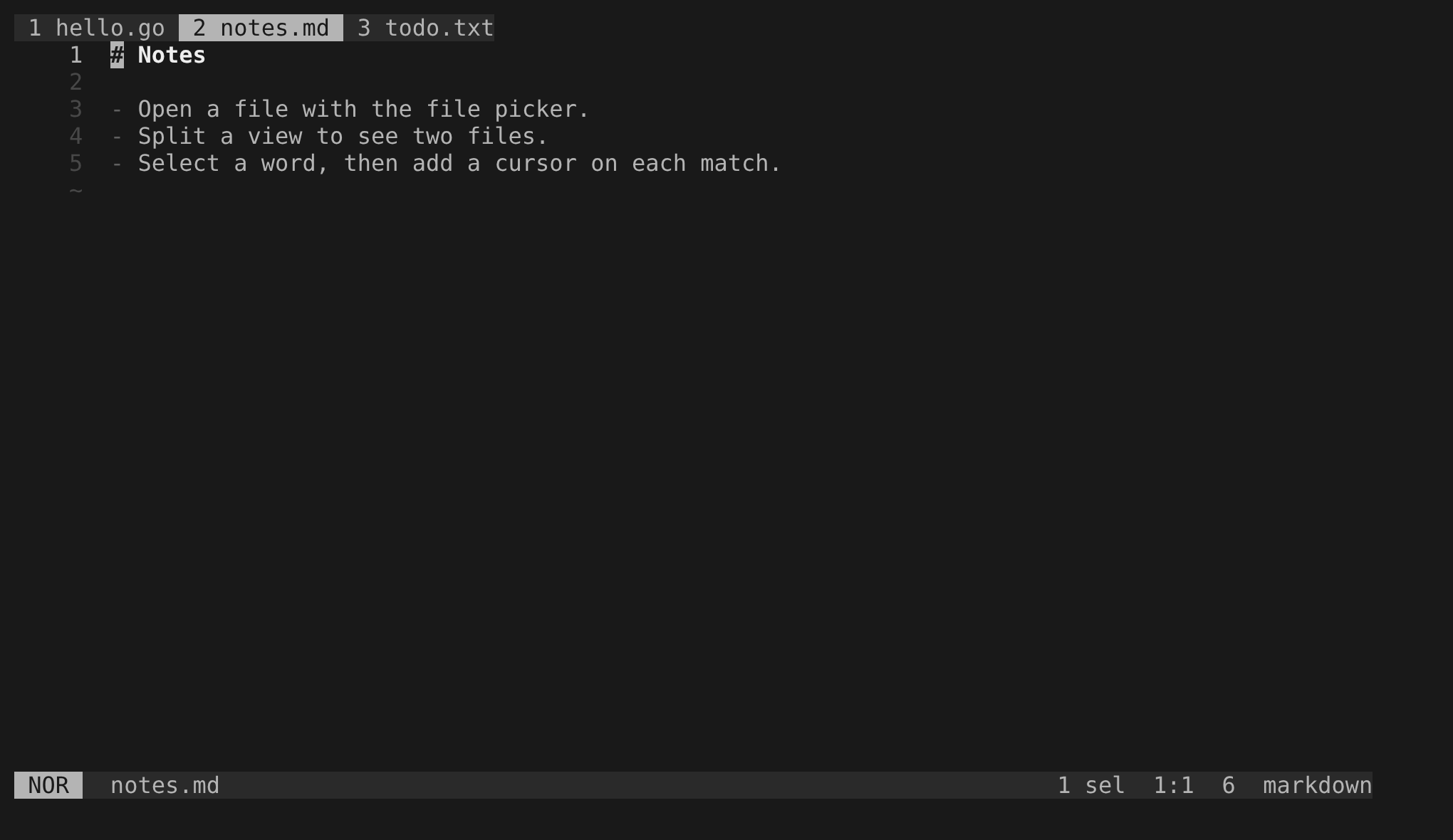
The tab line with three tab pages: 1 hello.go, 2 notes.md and 3 todo.txt.
The second one is highlighted because it is the current page, and by default the tab line shows only when there is more than one.
Views
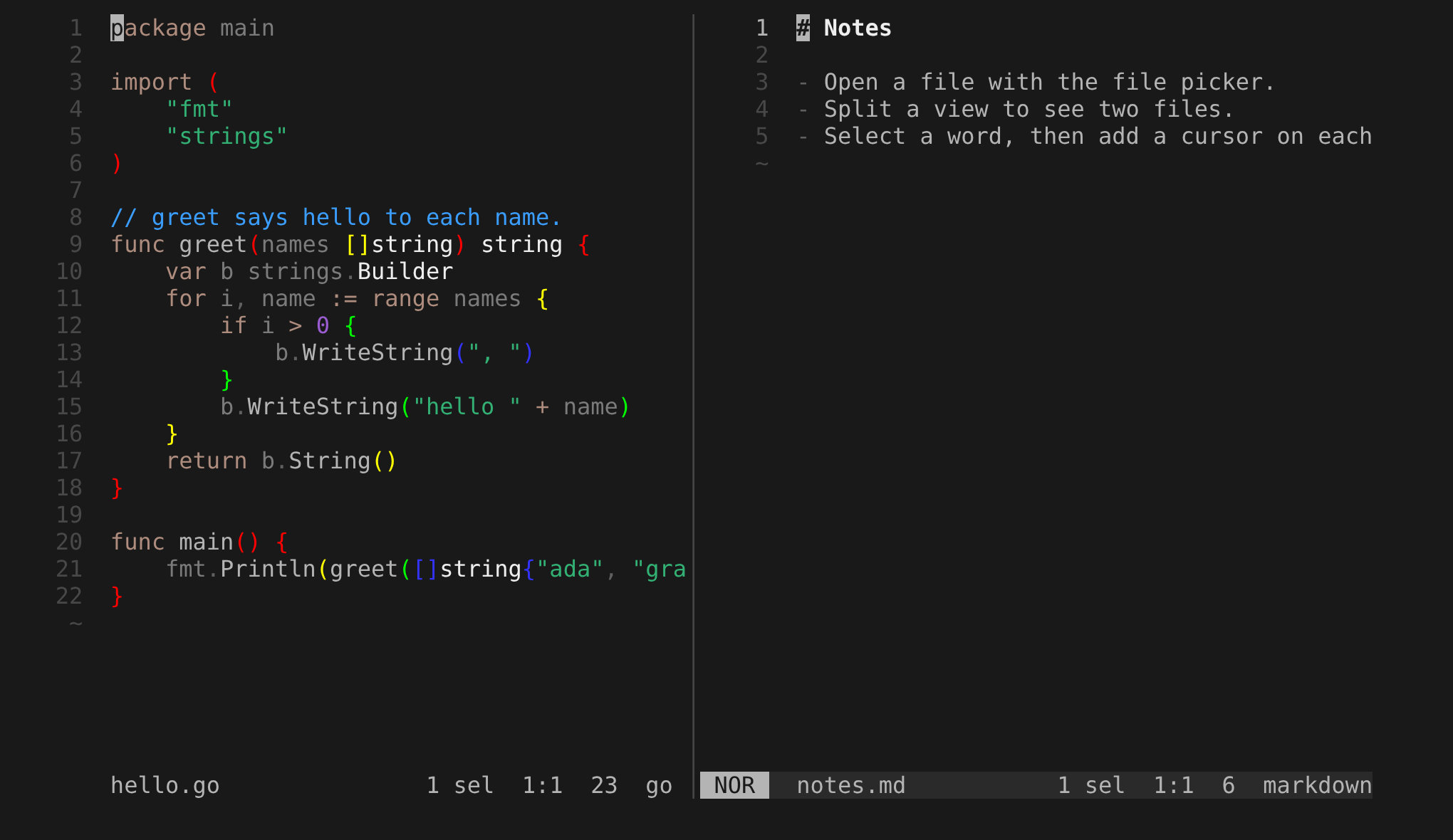
A View split to the right, with hello.go on the left and notes.md on the right.
Each View has its own statusline, and NOR shows only in the right one, because the mode belongs to the focused View.
Workspaces
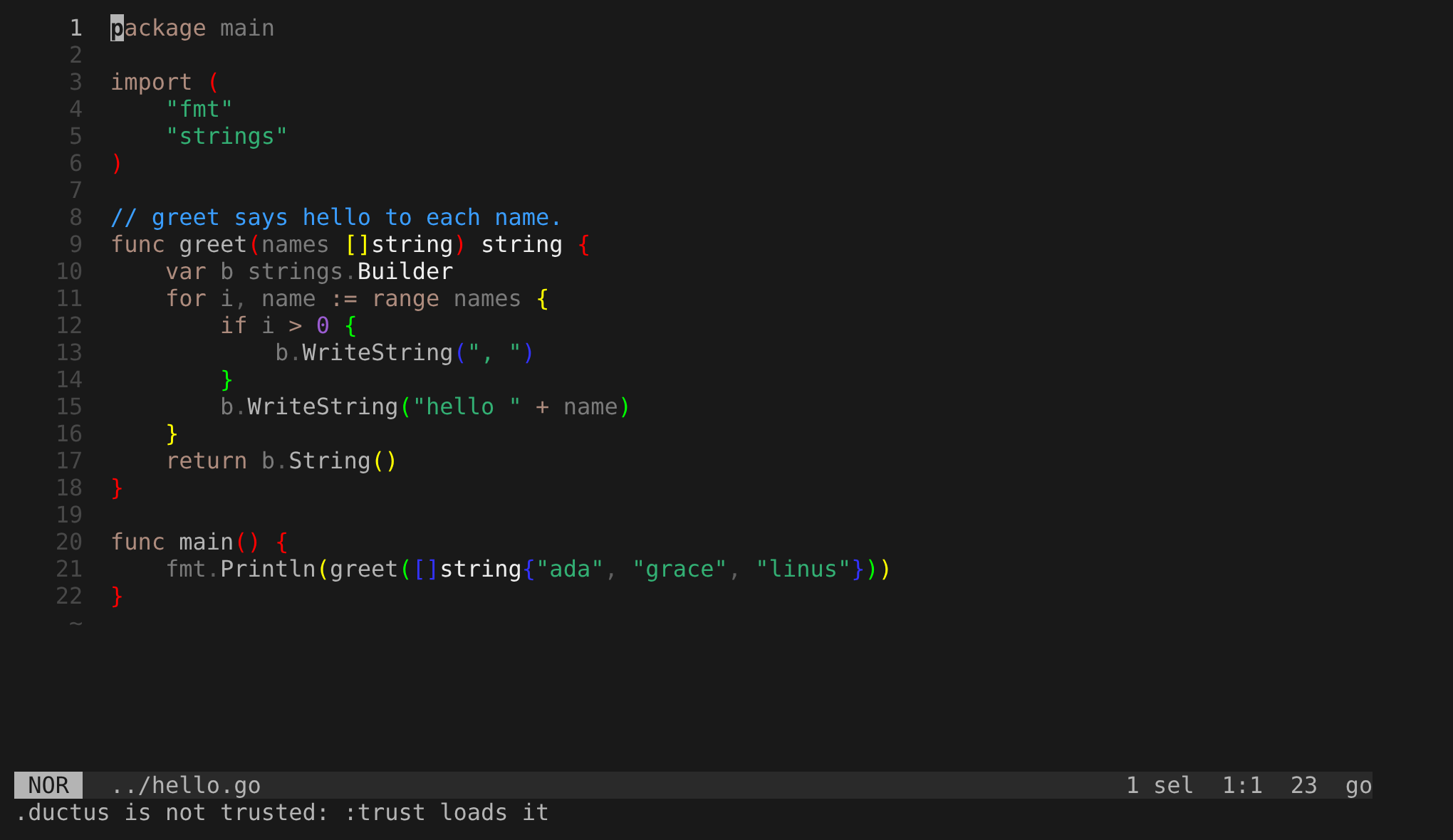
The last row after a change to a directory with a .ductus says .ductus is not trusted: :trust loads it.
Until you run :trust, dk ignores that .ductus and your own config still applies.